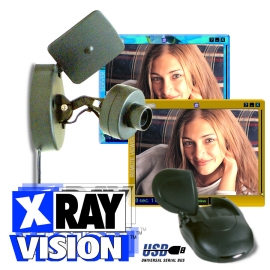
Use
& Applications
- The XCam Home vision set is provided with an easy to install USB Video
Grabber to connect the Xcam2 camera (or any other camera providing a
composite video signal) to your PC.
- The XRay Vision software has been designed to give the user maximum
use of your digital images and without the need of other hardware
- Save the images to your database with several user definable preferences
- based on fixed times, delay, motion or when you ask it
- Send the images to your choice of ISP or Email address with your defined
preference
- Connect to your camera remotely through Xray Vision Viewer
- Connect several cameras (up to 16) and scan locally.
- View exactly what your XCam2 sees on any remote PC. Control the frequency
of image capture from every 10 seconds to every 2 minutes
- Download images remotely from your PC or from the Online Imagebase
- Have XRay Vision automatically e-mail the most recent image at any
interval you choose — from 1 minute to 3 hours
- Based on your settings, XRay Vision will recognize and highlight images
where motion occurs — even automatically send you an e-mail of that
frame
- You remotely activate XRay Vision to automatically connect to your
ISP, e-mail an image, or upload an image for later remote viewing
Ideal for use with the XCam or XCam2 wireless camera set.
But also suitable for any other camera producing a composite video signal!
How does XCam Home Vision works?
Very simple. After installing the software, you connect any camera wit a
video output to the VA11E video - USB converter.
Once this is done, your PC will be able to capture and save images of your
camera (by regular intervals or even by motion detection). Using your modem,
Cable or ADSL internet connection, you are able to retreive images from
your PC. You can also have your PC email you at work, or upload the most
recent images to your own website!
Technical information
- Video-input: PAL B/G/H/I/N – RCA plug (female)
- PC-connection: USB interface
- System requirements: 1 Free USB port;
Operating system: Windows 95 OSR2.1 with USB support, Windows 98, Windows
ME, Windows 2000 or Windows XP
- Software: included on CD ROM: XRAY vision server and XRAY vision remote
(English)
- Camera requirements: every type of camera providing a composite video
signal (color or black/white, e.g. Marmitek XCAM2 wireless camera, your
camcorder or a surveillance camera).
- Updates and support: www.marmitek.com
- Content set :
• VA11E Video to USB converter
• CDROM with XRAY Vision software (English)
|